
The 9 Best AI Video Generators in 2026 (Hands-On Reviewed)
The AI video landscape has evolved rapidly, moving past chaotic glitches into true cinematic realism and physics-defying speed. We went hands-on to review and rank the 9 absolute best AI video tools available right now.
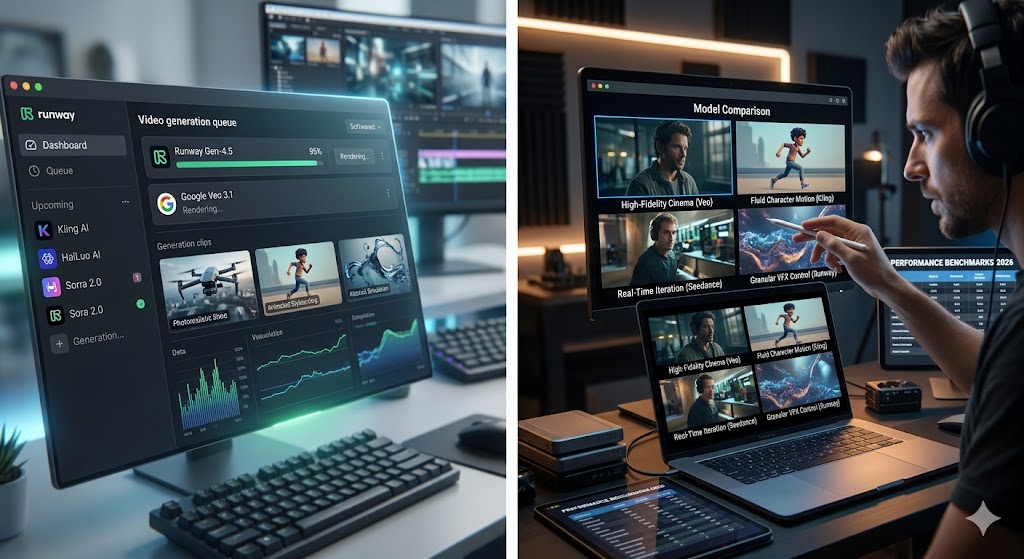
The AI video generation landscape has reached a stunning tipping point. If you haven't tested these tools recently, your mental image of AI video is likely stuck on nightmarish, melting faces and bizarrely shifting backgrounds.
In 2026, those days are largely behind us. Today's generative engines understand core physics, maintain tight character consistency across cuts, and even generate synchronized audio in a single pass.
To help you find the right engine for your pipeline without wasting hundreds of dollars on credits, we ran extensive hands-on benchmarking. Here is our definitive, real-world review of the 9 best AI video generators available this year.
The 9 Best AI Video Generators (Hands-On Reviews)
1. Google Veo 3.1
The gold standard for raw visual fidelity and structural precision. Accessible via Google AI Studio, Veo 3.1 is an engineering masterpiece that specializes in breathtaking cinematic compositions and incredibly complex scene descriptions.
Key Features: Native audio generation in a single pass, hyper-accurate physics rendering, and long-form support for clips up to 60 seconds.
Pros:
Unmatched realism for landscapes, macro environments, and intricate details.
Synchronized sound design saves tons of time in post-production.
Highly responsive to camera directions (pan, tilt, orbit).
Cons:
Processing is quite slow, often taking 2 to 4 minutes per render.
The UI lacks advanced timeline editing controls.
Best For: Filmmakers and content creators prioritizing maximum visual quality over speed.
2. Kling AI (Kling 3.0)
Developed by Kuaishou, Kling 3.0 has solidified its reputation as the ultimate tool for organic human motion. If you need a character to walk, dance, or perform micro-expressions without morphing into a completely different person mid-clip, Kling is magnificent.
Key Features: Industry-leading human physics, multi-subject scene control, and robust image-to-video tools with camera mapping.
Pros:
Incredible character facial consistency across long sequences.
Generous daily free credit allotment for testing.
Fluid, highly believable physics interpolation.
Cons:
Noticeably weaker at abstract concepts or vast landscapes compared to Veo.
Free tier processing queues get heavily backed up during peak hours.
Best For: Social media managers, influencers, and advertisers working with human subjects.
Link: Try Kling AI
3. Seedance 2.0
ByteDance's entry into the space completely rewrote expectations for execution speed. While most high-end models force you to grab a coffee while waiting for a single clip to compile, Seedance 2.0 works in absolute real-time.
Key Features: Lightning-fast 30-second generations, native lip-sync engines, and optimized text-to-video models.
Pros:
Unbelievably fast turnaround makes creative prompt iteration highly practical.
Exceptionally smooth image-to-video transitions.
Built-in native audio integration.
Cons:
Fine details, especially human hands, can occasionally fail under close inspection.
Maximum resolution output sits slightly lower than rivals on the starter tiers.
Best For: Agile creators who need fast concept prototyping and high-volume output.
Link: Explore Seedance 2.0
4. Runway (Gen-4.5)
Runway remains a legendary powerhouse for visual effects artists and studios. Instead of simply relying on text entry boxes, the Gen-4.5 interface treats video creation like an interactive spatial environment.
Key Features: Multi-Motion Brush (animating up to 5 distinct elements separately), advanced multi-angle camera controls, and custom model style training.
Pros:
Unrivaled granular control over individual elements within a frame.
Flawless styling consistency when using custom-trained models.
Cons:
The massive, feature-heavy interface can easily overwhelm a beginner.
Occasional robotic facial artifacts require post-production cleanup.
Best For: VFX artists, creative directors, and seasoned video editors.
Link: Create with Runway
5. Luma Dream Machine (Ray 3.14)
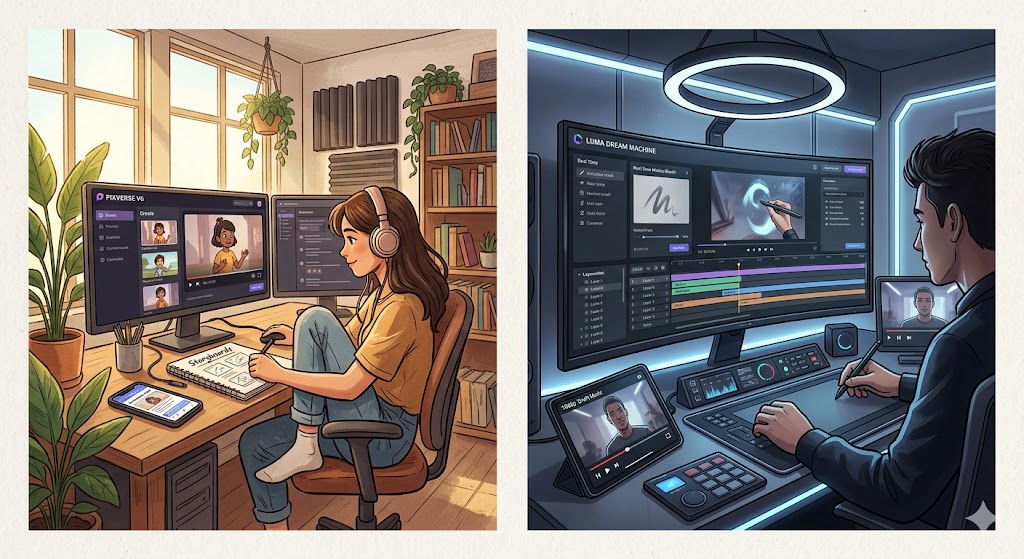
Luma AI’s Dream Machine platform excels at cinematic speed and fluid composition editing. Its latest iteration is incredibly smart, built explicitly with cinematic concept storyboarding in mind.
Key Features: Seamless clip extension tools, a highly useful "Draft Mode" to preview motions before burning heavy credits, and advanced lighting redesign.
Pros:
Exceptionally easy to smoothly stitch together successive clips.
The app UI allows you to easily reframe aspect ratios without cropping out focal subjects.
Cons:
Visual fidelity drops sharply when introducing complex environments with more than three moving subjects.
Best For: Rapid storyboard assembly, B-roll generation, and commercial concept mockups.
Link: Try Luma Dream Machine
6. HaiLuo AI (MiniMax 2.3)
HaiLuo AI approaches generative video through structural camera logic. If you treat your text entries like actual Hollywood shot directions (e.g., "slow dolly zoom, wide angle, high contrast"), it executes them with stunning cinematic precision.
Key Features: Hyper-realistic texture rendering, prompt optimization filters, and advanced camera physics matching.
Pros:
Rarely suffers from the aggressive "AI hallucination" distortions common in weaker tools.
Beautiful facial micro-expressions.
Cons:
Clip duration is strictly limited on basic tiers (averaging 6 seconds maximum).
Free versions apply noticeable watermarks.
Best For: Professional directors planning precise shot lists and high-end cinematic edits.
Link: Discover HaiLuo AI
7. HeyGen (LiveAvatar)
HeyGen avoids pure Hollywood art to tackle the practical corporate world. It is the premier platform for professional marketing, localized sales outreach, and learning and development tutorials.
Key Features: Over 1,100 hyper-realistic digital presenters, automated translation and voice cloning, and instant presentation-to-video scripting.
Pros:
Flawless lip-syncing and natural human presentation posture.
Expansive multi-language translation architecture supports global scaling.
Cons:
Unsuitable for narrative filmmaking or abstract artistic generation.
Premium tiers get quite expensive for heavy video pipelines.
Best For: Corporate training teams, HR departments, and SaaS marketing pipelines.
Link: Build with HeyGen
8. Synthesia
Synthesia remains HeyGen’s fiercest enterprise competitor. It turns flat written scripts into highly professional presenter-led training videos within a few clicks.
Key Features: 230+ high-definition avatars, built-in SCORM exports for Learning Management Systems (LMS), and seamless integration with corporate PowerPoint stacks.
Pros:
Outstanding text-to-speech engine with highly accurate cadence and inflection.
Incredible time saver for corporate knowledgebases.
Cons:
Avatars can feel a bit rigid if pushed to express heavy emotional swings.
No free-form environment or landscape creation tools.
Best For: L&D specialists, corporate trainers, and scale enterprise video pipelines.
Link: Explore Synthesia
9. PixVerse (V6)
PixVerse is the dark horse of creative video pipelines. It provides excellent accessibility for indie creators, offering high-quality 4K upscaling and stylistic flexibility without aggressive subscription lock-ins.
Key Features: Multi-model generation suite, built-in 4K resolution upscaler, and highly responsive daily check-in reward credits.
Pros:
Crisp image output clarity with 4K upscaling toggles.
Incredibly intuitive, clean interface that is beginner-friendly.
Cons:
Shorter clip limits (typically capped near 15 seconds max).
Fast-moving subjects occasionally show slight motion blurring artifacts.
Best For: Indie game designers, hobbyists, and social media content creators on a tight budget.
Link: Launch PixVerse
The Master Comparison Table
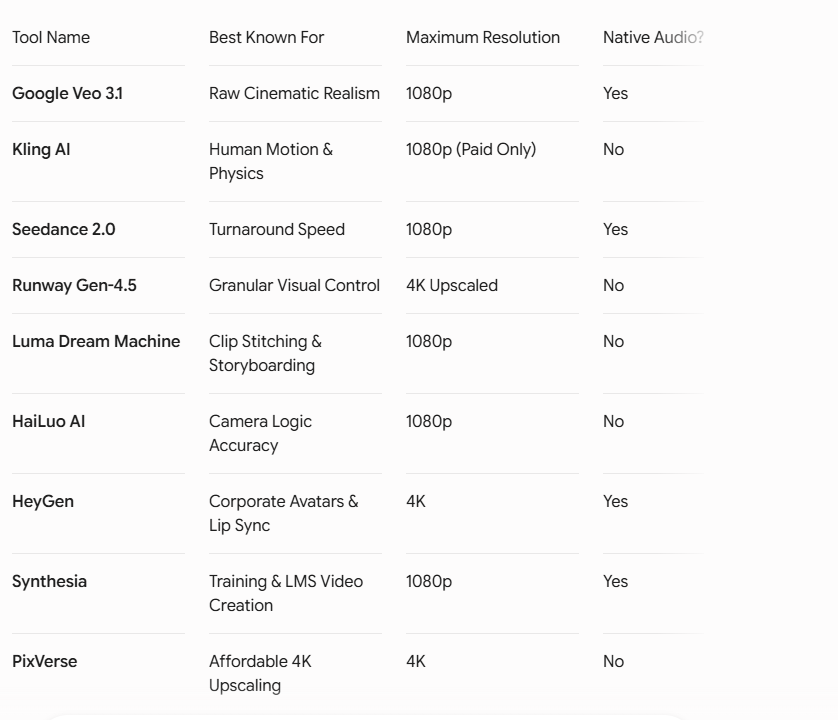
The following side-by-side breakdown highlights exactly how these tools stack up across critical metrics:
Frequently asked questions
Which AI video generator produces the most realistic results in 2026?
Based on our hands-on evaluation, Google Veo 3.1 provides the highest visual quality for landscapes, environments, and general cinematic tracking. However, if your video focuses primarily on complex human physics and facial consistency across motion cuts, Kling 3.0 outperforms Veo.
Are AI video tools capable of generating sound effects and dialogue natively?
Yes, engines like Google Veo 3.1 and Seedance 2.0 now feature native multi-modal rendering architectures. This means they read your visual prompt and generate synchronized background sounds or basic audio elements directly into the initial render file.
Can I use these AI-generated videos commercially?
Generally, yes, but it depends completely on your subscription tier. While platforms like Adobe Firefly or the paid enterprise levels of HeyGen, Synthesia, and Runway grant full commercial usage rights and intellectual property protections, standard free tiers almost always prohibit commercial deployment and apply watermarks. Always review the terms of your specific service tier before publishing commercial work.
Join 45,000+ AI builders.
Three tools, two insights, one strategy — every Sunday. The signal cuts through the noise.
Free forever · unsubscribe anytime · no account required